There used to be a clear line. If you wanted to automate a real operational process - document handling, tracking updates, repetitive data work - you needed a big platform project. Six figures, a dev team, eighteen months. Most small-to-medium ops teams looked at that number and moved on. The manual process stayed manual.
That line has moved
Two things happened at once. The cost of running capable AI models dropped sharply. And no-code orchestration tools - n8n, Make, Zapier, each with AI steps baked in - got robust enough that a non-developer can build something real with them.
Not a toy. Not a demo. A workflow that runs in production, handles edge cases, and that the person who built it can actually debug on a Tuesday morning without calling anyone.
That second part matters as much as the first. Ownership changes everything about how useful an automation actually is.
What the old version looked like
Take a common ops problem: documents arrive irregularly - PDFs, emails, scanned forms - and someone has to open each one, pull out specific reference codes, cross-reference those against a database, and log the result. Not complicated work. Just slow, repetitive, and expensive to have a senior person doing it.
The old answer was a custom integration project. You’d scope it, spec it, find a developer or agency, wait, pay, and then depend on that vendor forever when something changed. For most small freight or logistics operations, that was never going to happen.
What the new version looks like
We worked with a supply-chain operator on exactly this kind of task. Documents coming in, data needing extraction, cross-referencing to do. Hours of a senior ops person’s day, every day.
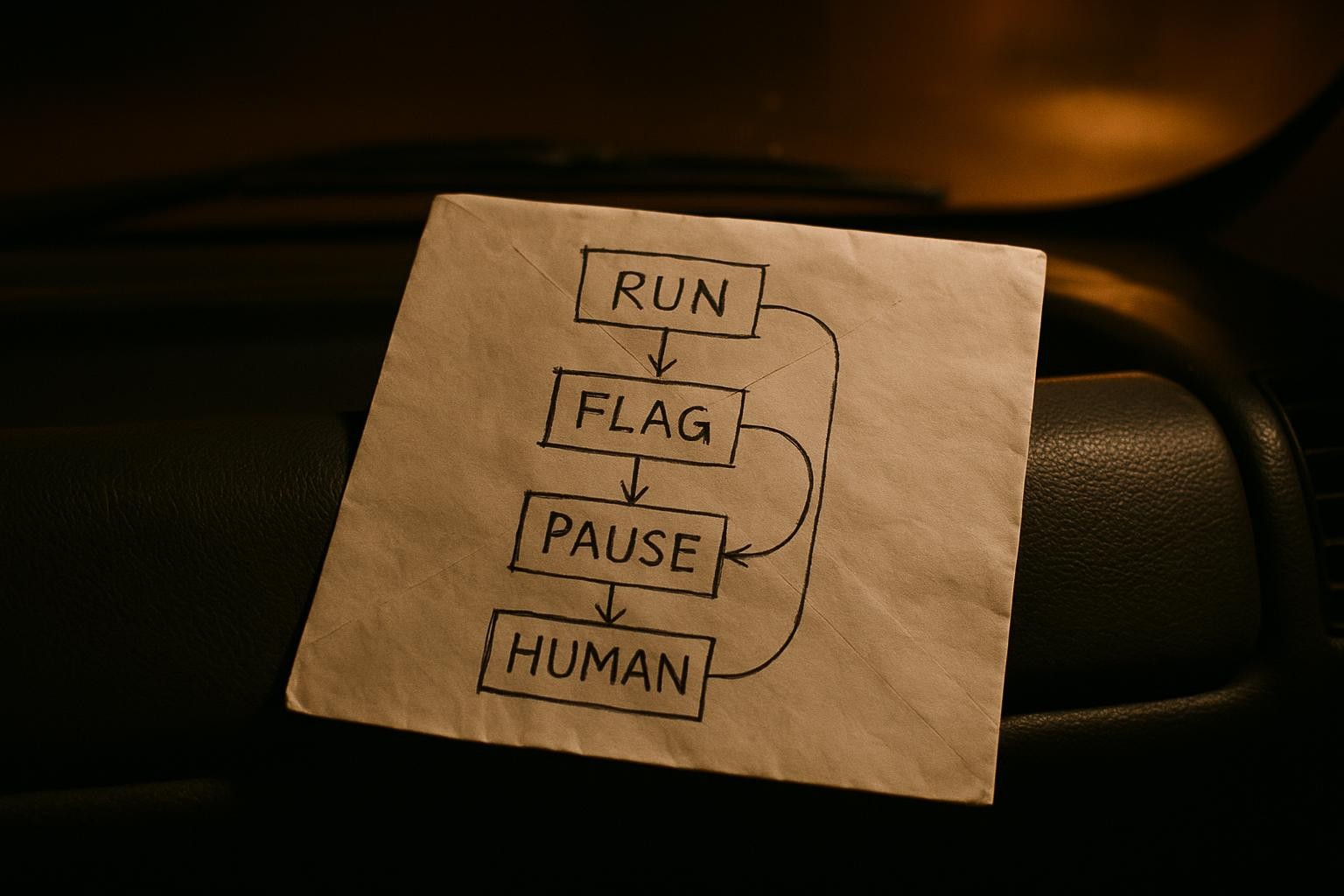
Within two weeks, that ops person had a working n8n workflow handling the bulk of it. Not us building it for them - us sitting alongside while they built it themselves. The workflow watches for incoming documents, passes them through an AI extraction node to pull the specific codes, then checks those codes against the existing database and flags anything that needs a human eye.
The time saving was conservatively around 30 minutes per document. Volume was doubling month on month. You can do that maths yourself.
But the number isnt the whole story. The ops person who built it knows exactly how it works. When a supplier changes their document format, she updates the extraction prompt herself. When the team wants to extend it to handle a second document type, she adds a branch. No ticket raised, no vendor called, no waiting.
How the tooling actually fits together
The core pattern, regardless of which tool you use, looks like this:
- Trigger - something arrives (email, webhook, file drop, form submission)
- Extract - an AI node reads the document and pulls structured data from it
- Check - that data gets compared against a spreadsheet, Airtable base, or database
- Route - matching records update automatically; exceptions get flagged to a human
In n8n, the AI extraction step uses the AI Agent or Information Extractor node. You give it the document content and a prompt that names the exact fields you want back. Something like:
Extract the following fields from this document and return them as JSON:
- reference_code
- shipment_date
- origin_port

If a field is not present, return null for that field.

Document:
{{ $json.document_text }}
The node returns structured JSON. The next node in your workflow can read reference_code directly, pass it to a lookup, and branch on the result. No parsing, no regex, no developer required.
Make and Zapier have equivalent AI steps. The prompt logic is the same. Pick whichever tool your ops person is most comfortable clicking around in - that matters more than feature differences at this scale.
The shift that actually matters
The conversation used to be: “can we afford to automate this?” The answer was usually no.
The conversation now is: “which process do we start with?” Thats a different kind of problem to have.
The teams getting the most out of this arent the ones with the biggest budgets. They’re the ones with an ops manager who’s willing to spend a couple of weeks learning a tool, and a business that lets them. The automation knowledge stays in the building. It compounds. Each workflow they build makes the next one faster.
That’s the real shift - not cheaper automation, but automation your own team can own.
Where we come in
Sometimes a workflow is straightforward enough that guidance and a starting template is all you need. Sometimes the logic is more complex - multiple document types, conditional routing, integration with a system that doesnt have a native connector - and it makes sense to have someone build the first version with you rather than for you.
Either way, the goal is the same: your team understands it and can run it without us.
If you’ve got a manual process that’s eating hours and you want to talk through whether it’s a good candidate for this kind of build, start a conversation with us here.